 Tanvir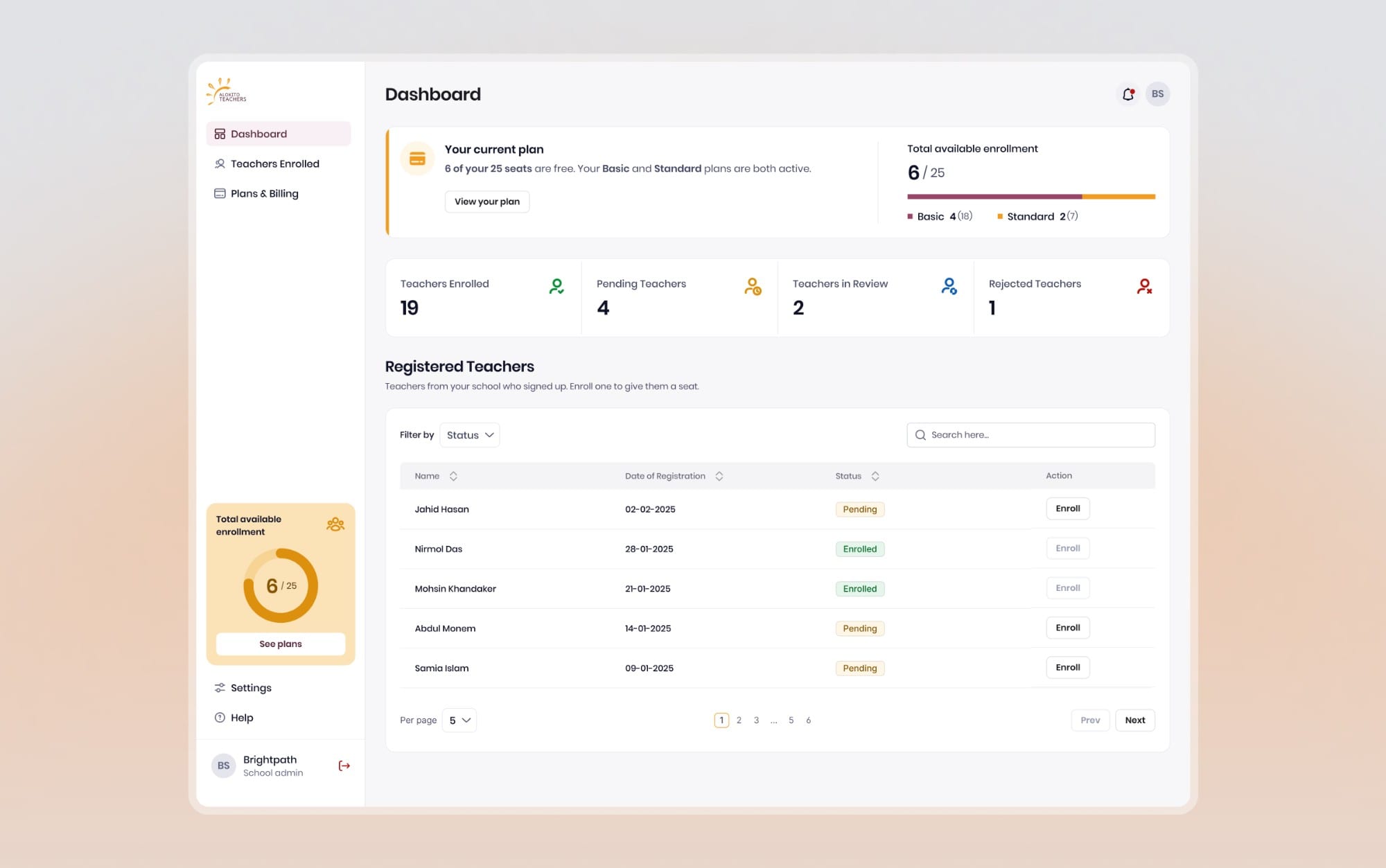
- UI/UX Designer
- Worked with 2 developers
- Design system · Website · Training platform · Job portal
- 3 min
Training on one side, hiring on the other. The rules of the programme had to show on screen, and both products had to feel like one.
01/The project
Train teachers, then help them get hired
Alokito Teachers is a Bangladeshi startup that trains people to become teachers, then helps schools hire them. The public site was badly outdated, and the platform behind it didn't exist yet.
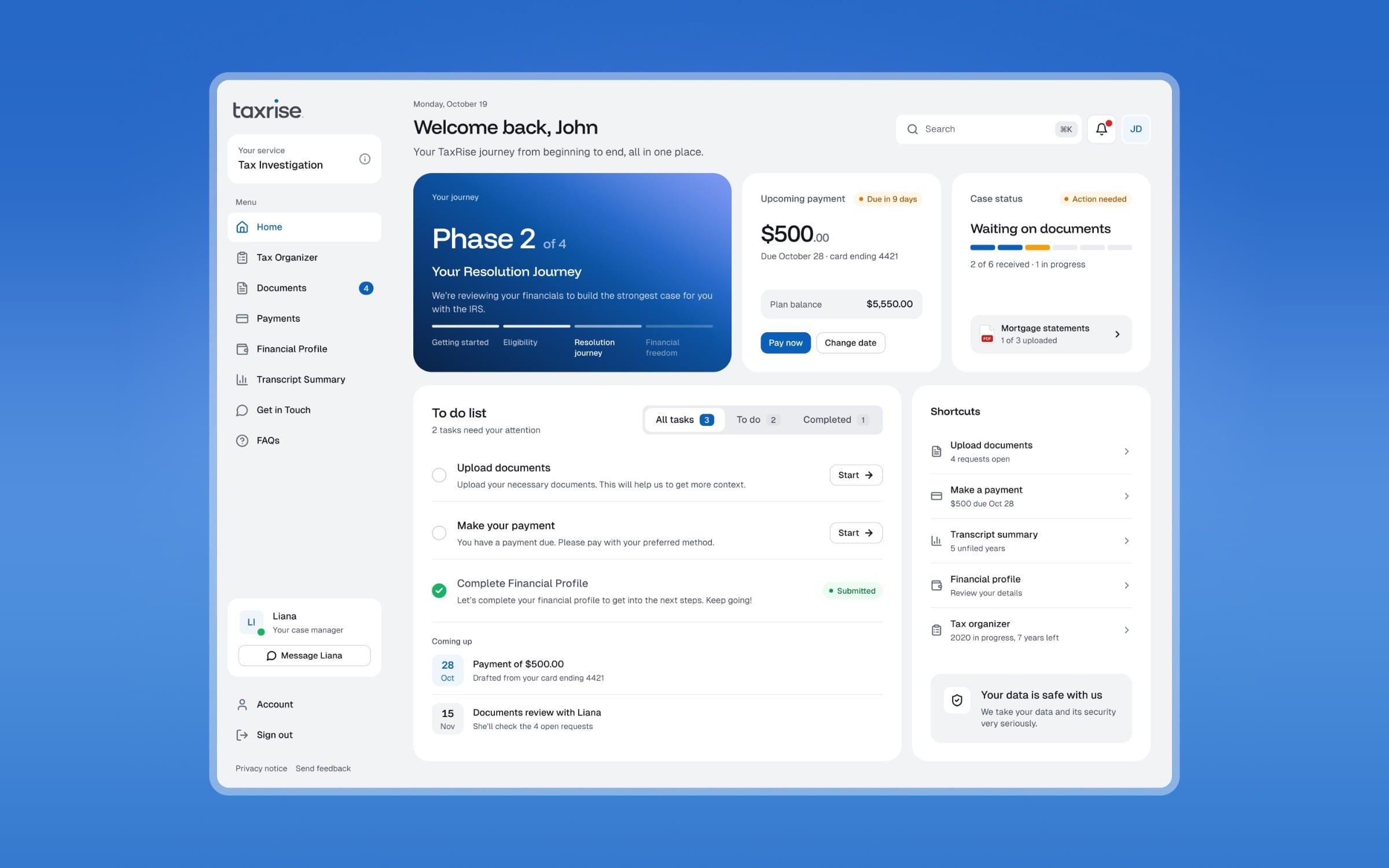
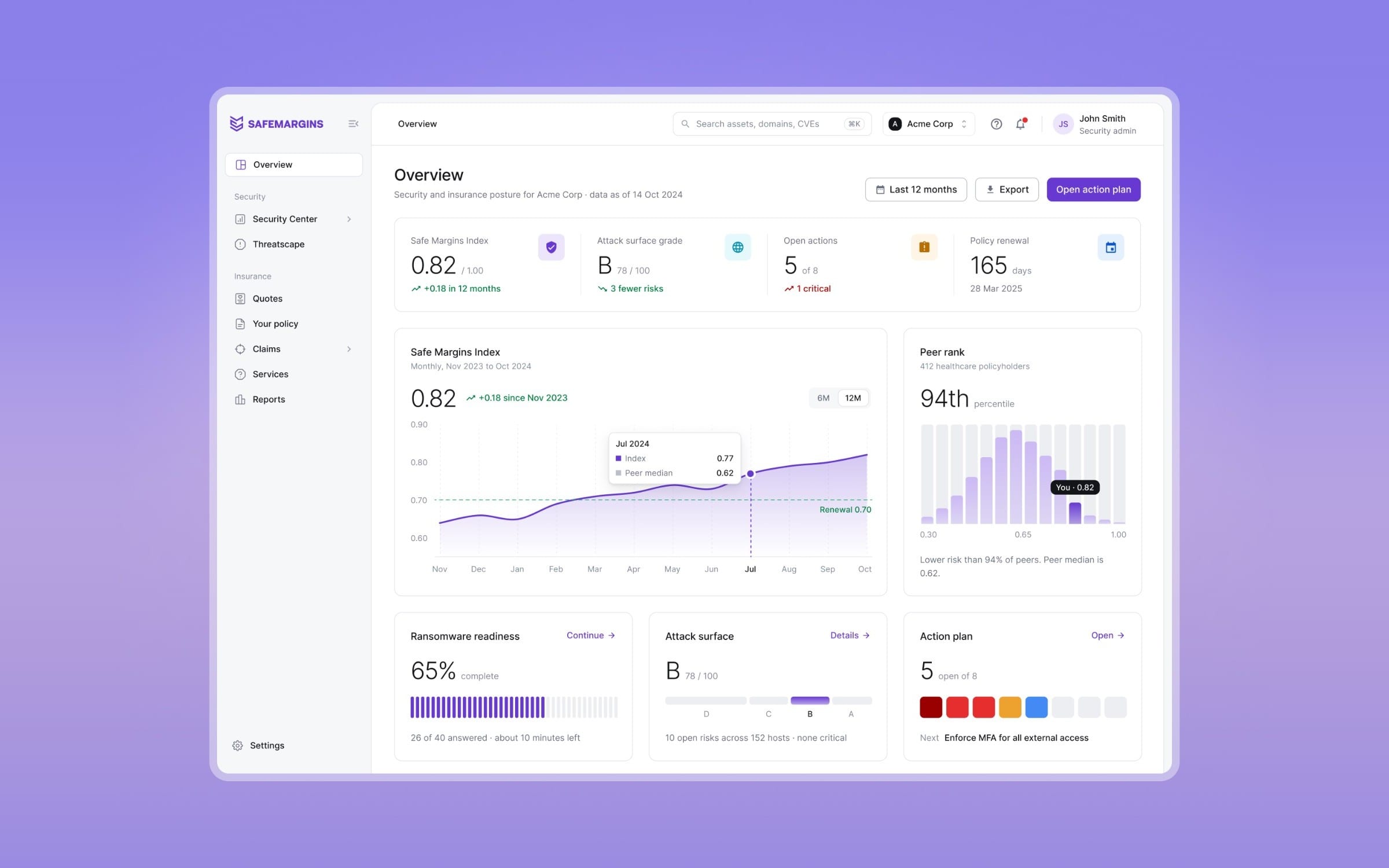
I was the only designer, with two developers. I designed the design system, the website, a training platform for four roles (teachers, schools, trainers and admins) and later a job portal. The hard part was the rules: phases that unlock in order, seats schools pay for, a score that carries into hiring. All of it is live. It's under NDA, so this page shows a selection, using sample data and a light visual refresh.
- Sole designer, 2 developers
- Website + 2 products
- 4 roles
- Live
02/At a glance
The platform, at a glance
A teacher's training dashboard, and the jobs home where training turns into applications.
03/Where it started
Two halves nobody had put together
Before designing anything, I looked at what people in Bangladesh already used for each half: Bdjobs for hiring and 10 Minute School for learning. Neither did both. On Alokito, a teacher's training should carry straight into their applications, and a school should be able to hire from the people it trained.
The client also wanted a design system from day one, so I built the foundations before any page.
04/Rules first
I mapped the rules before any screen
Before any UI, I worked through the main flows with the client: signup and the first assessment, the four phases and their prerequisites, and how schools buy and use seats. That map decided what each role needed to see, and what had to behave the same everywhere.
05/One system
The same pieces in training and hiring
Because the system came first, a seat plan, a course and a job post are built from the same cards, bars and states.
06/Training
Putting the rules on screen
- A lock needs a reason. A disabled card doesn't say why. Each locked card names what to finish first, and later phases stay in view so the whole path is clear.
- Capacity beside the decision. Schools buy seats before they enrol anyone, so seats left sit right above the Enroll buttons. Billing got its own page.
- One question open at a time. The builder keeps the whole assessment in view and opens a single question for editing, so you always know where it sits.
07/Job portal
Designing for where it breaks
The job portal is where the training score gets used. A teacher is judging a job, and a school is judging a candidate. Each side could stall in different places, so I mapped them before designing screens, and the prototype connected every one for the developers.
08/The website
And the website in front of it all
The old site was badly outdated. I rebuilt it on the same system, with a clear route to courses, jobs and plans.
09/Outcome
Live, and the client is building on it
The website, the training platform and the job portal are all live. The client was happy with what we shipped, and Alokito raised funding after launch to keep growing. I have no usage numbers to share, and I wouldn't credit the funding to the design.
What I'd keep next time is the order: the rules first, then the system, then the screens. A lock, a seat or a score looks and behaves the same everywhere, which is why adding a job portal later didn't need a new visual language.